Bridge Types
Bridge types are types created to serve as a convenient handle that transform complex properties with multiple arguments into a single uniquely-identified object that can have simple properties. When a complex property key uniquely defines something, such as "the event for device1 in zone1" or "the service 'Ubisense | Platform | Cell extents' running at Site level", the data model can be designed such that those concepts are encapsulated in bridge objects. The bridge object itself can have properties, so you can end up with "the status of <that service>", which can be used in business rules like "when the status of <that service> changes, do something".
An object is a bridge object when a complex property meets all of the following conditions:
-
Its value is an object type (as opposed to a simple type, such as Int or String — the bridge object is the value)
-
Its value is unique (there can’t be more than one row with the same bridge object because then it wouldn’t have a unique definition)
-
Its value does not itself have a name property (because the name property would define the object — in this case, the existence in the complex property value defines the object)
With no name property declared for bridge objects, the Bridge type name sync service will use the key of the complex property to give the bridge object a human-readable name. The derived name is displayed within square brackets.
 Click the image to enlarge.
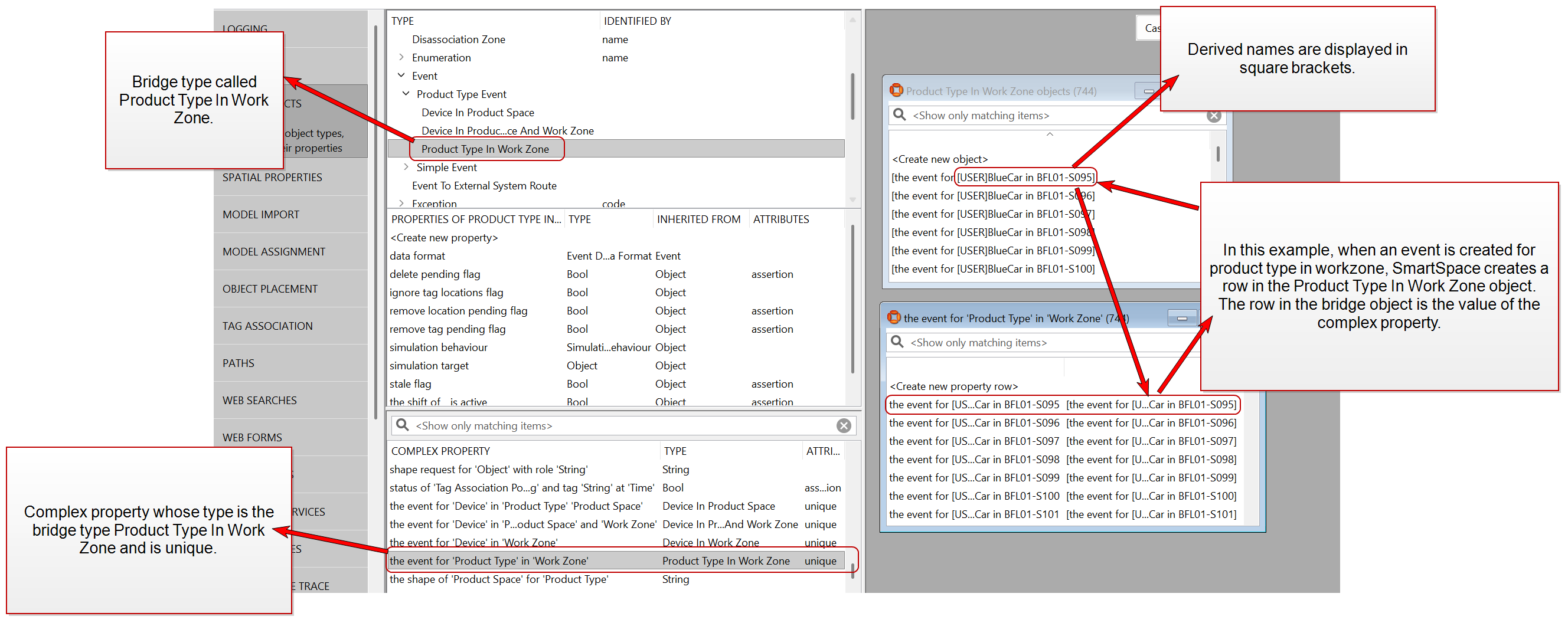
Creating bridge type objects
You cannot directly create a new bridge object from SmartSpace Config by adding a new property row in TYPES / OBJECTS. If you try to create a new bridge type this way, you will need to select a value in the drop-down. Because the property defines what goes in that drop-down, you won't have anything to select, and therefore won't be able to create a new bridge object.
The set of bridge objects of some bridge type T is defined by the set of complex property rows whose value is T.
One workaround is to create a temporary object name just so you can select it in the drop-down:
-
Double-click <Create new object> for your selected bridge type to create a temporary bridge object.
-
Give the bridge object a temporary name and click Save.
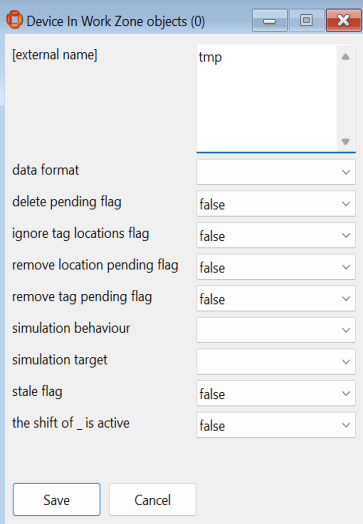
-
Create a new property row for the complex property whose type is the bridge type you just created a temporary object for. Your temporary object should be available to select from the dropdown.
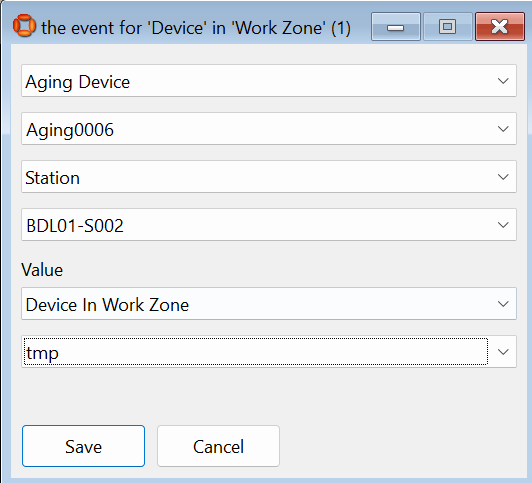
-
Save the new complex property row.
Once it is used as the unique value, its name will be updated automatically by the Bridge type name sync service.
Another workaround is to have a business rule to create the bridge object when you make a request. For example:
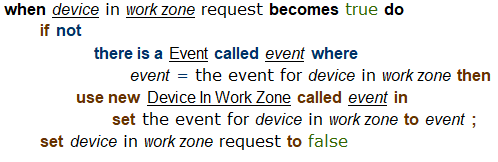
Reverse lookup
Reverse lookup can be used on bridge types because each row for a given bridge type is unique. This allows SmartSpace to search for the property key based on the unique property value.