Application REST API

A web API serving UDM objects/properties
Summary
Application REST API is an http base API allowing the viewing or creation of objects and properties from the UDM.
Application REST API:
- Provides an interface to the Ubisense platform without requiring knowledge of or access to Ubisense protocols
- Allows for easy access to the platform information without needing to write software. This is useful for viewing information in a one time/non-automated fashion or when writing lightweight web scripts
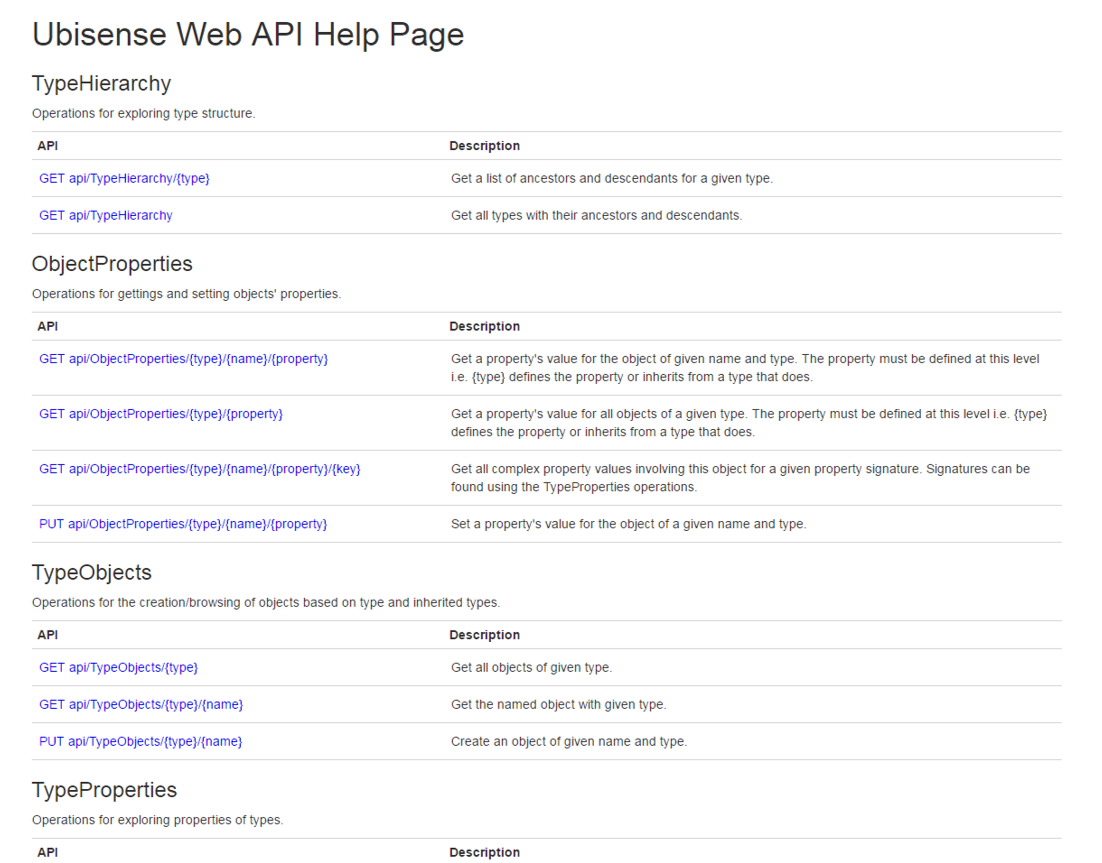
Using the Application REST API
Overview
The Application REST API allows you to view or create objects and properties in your user data model. Once you have installed the REST API, you can view and interact with the Swagger Doc, use Bearer authentication and send requests to the API endpoints.
Authentication
From version 3.8 SP5, the SmartSpace Application REST API supports Bearer authentication.
Depending on the OAuth method that you use, you need to set up either a role or scope when configuring your authentication. If you are using the PKCE flow, you need to add a role called "smartspace-rest-api-access-role". Only users that are members of this role can access the REST API. If you are using the Client Credentials flow, you need to add a scope called "smartspace-api-scope". Only applications that are added to this scope can access the REST API.
Configuring the Application REST API
Once you have configured your authentication, you will have the basic information needed to configure the settings in the REST API. On Linux, these are configured in /etc/ubisense/restapi.json. On Windows, they are in localsettings.json in the REST API installation folder; this is normally C:\Program Files (x86)\Ubisense 3\WebApiCore\Web.
The following sections are needed in the REST API settings:
-
AllowHosts, to support CORS headers and allow access from external web pages
-
JWTAuth, to configure the application information, and
-
AuthOptions, to require authentication for all access
An example of the REST API settings is shown below. Replace the following parameters with values from your authentication configuration:
-
metadataAddress: The URL where your OpenID Connect configuration is published.
-
authority: The base URL of your authorization server.
-
audience: The identifier for your API that clients must include in their token requests.
-
nameClaim: The claim in the token that contains the username.
-
validIssuers: An array of issuer URLs that are considered valid. Tokens from other issuers will be rejected.
-
validateLifetime: A boolean value indicating whether the token’s lifetime should be validated.
-
requireHttpsMetadata: A Boolean value indicating whether HTTPS is required for the metadata endpoint.
"JWTAuth": {
"metadataAddress": "https://<your-auth-server>/path/to/.well-known/openid-configuration",
"authority": "https://<your-auth-server>",
"audience": "<your-api-identifier>",
"nameClaim": "preferred_username",
"validIssuers": ["https://<your-auth-server>/path/to/issuer"],
"validateLifetime": true,
"requireHttpsMetadata": false
}The parameter “validIssuers”: should be the list of valid issuers. For multi-tenant organizations, you may configure multiple valid issuers with different tenant IDs.
Once you have saved the settings, restart the REST API service, if using Linux, or the SmartSpaceCoreApi application pool, if using Windows/IIS.
Fetching the token
After configuring the REST API settings, you can fetch and use the JWT. The following code snippet shows an example of fetching and using the token for the Client Credentials flow in C#.
Fetching the token
internal class AuthenticationService{
private readonly HttpClient _httpClient;
public AuthenticationService(HttpClient httpClient)
{
_httpClient = httpClient;
}
public async Task<string> GetAccessTokenAsync(string clientId, string clientSecret, Uri tokenEndpointUri)
{
var clientCredentials = new FormUrlEncodedContent(new[]
{
new KeyValuePair<string, string>("grant_type", "client_credentials"),
new KeyValuePair<string, string>("client_id", clientId),
new KeyValuePair<string, string>("client_secret", clientSecret),
});
var response = await _httpClient.PostAsync(tokenEndpointUri, clientCredentials);
response.EnsureSuccessStatusCode();
var content = await response.Content.ReadAsStringAsync();
var tokenResponse = JsonSerializer.Deserialize<Dictionary<string, object>>(content);
return tokenResponse["access_token"].ToString();
}
}Using the returned token
var accessToken = await _authenticationService.GetAccessTokenAsync(
"sample-console-app",
"<client_secret>",//Replace this with the client secret. This is a secret and should be treated as such in production scenarios
new Uri("<token-endpoint-url>") // Replace with your token endpoint url
);
_httpClient.DefaultRequestHeaders.Authorization = new AuthenticationHeaderValue("Bearer", accessToken);
const string apiUrl = "http://localhost:5001/api/TagTypes";
var response = await _httpClient.GetAsync(apiUrl);
if (response.IsSuccessStatusCode)
{
var content = await response.Content.ReadAsStringAsync();
Console.WriteLine("Response Content:\n" + content);
}
else
{
Console.WriteLine($"Error: {response.StatusCode}");
}
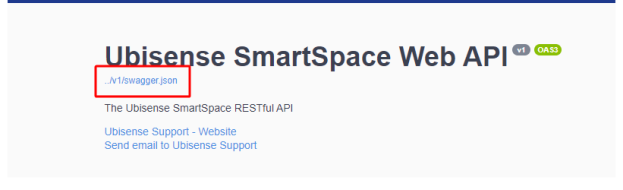
An API specification JSON file is provided which can be used to generate your client code. The file can be found at http://localhost/smartspaceapi and clicking the link under the title.
Requests and endpoints
This section provides an overview of the requests and endpoints needed to view or create objects and properties in your user data model. Navigate to http://localhost/smartspaceapi to view the Swagger Doc and interact with the requests.
ObjectLocations
 GET /api/ObjectLocations/{type}
Get the locations of all objects of the given type.
Parameters
| Name | Type | Description |
|---|---|---|
|
type (required) |
string |
The object type |
|
object_names |
string |
A comma-separated list of object names, with illegal URL characters escaped using the same schema as standard URI encoding, but with a ~ instead of a % |
Responses
| Code | Description |
|---|---|
|
200 |
Success |
|
400 |
No objects with that type exist Copy
Example Value
|
PUT /api/ObjectLocations/{type}
Set the location of one or more objects of the given type.
Parameters
| Name | Type | Description |
|---|---|---|
|
type (required) |
string |
The object type |
Request Body
A sequence of object locations to set.
Responses
| Code | Description |
|---|---|
|
200 |
Success |
|
400 |
The location could not be set Copy
Example Value
|
GET /api/ObjectLocations/{type}/{name}
Get the location of an object of the given name and type.
Parameters
| Name | Type | Description |
|---|---|---|
|
name (required) |
string |
The object name, with illegal URL characters escaped using the same schema as standard URI encoding, but with a ~ instead of a % |
|
type (required) |
string |
The object type |
Responses
| Code | Description |
|---|---|
|
200 |
Success If no body is returned then no object of that type and name with a location exists |
|
400 |
The type does not exist Copy
Example Value
|
ObjectProperties
GET /api/ObjectProperties/{type}/{property}
Get a property's value for all objects of the given type. The property must be defined at this level; {type} defines the property or inherits from a type that does.
Parameters
| Name | Type | Description |
|---|---|---|
|
type (required) |
string |
The object type |
|
property (required) |
string |
The property name |
|
object_names |
string |
A comma-separated list of object names, with illegal URL characters escaped using the same schema as standard URI encoding, but with a ~ instead of a % |
Responses
| Code | Description |
|---|---|
|
200 |
The property values |
|
400 |
The type does not exist Copy
Example Value
|
GET /api/ObjectProperties/{type}/{name}/{property}
Get a property's value for the object of the given name and type. The property must be defined at this level; {type} defines the property or inherits from a type that does.
Parameters
| Name | Type | Description |
|---|---|---|
|
name (required) |
string |
The object name, with illegal URL characters escaped using the same schema as standard URI encoding, but with a ~ instead of a % |
|
type (required) |
string |
The object type |
|
property (required) |
string |
The property name |
Responses
| Code | Description |
|---|---|
|
200 |
Success If no body is returned then no object with that name, type and property exists |
|
400 |
The type does not exist Copy
Example Value
|
PUT /api/ObjectProperties/{type}/{name}/{property}
Set a property's value for the object of the given name and type.
Note that if you set the name property of an object, the returned Object field will still use the original object name, though the return PropertyValue will be the new name.
Parameters
| Name | Type | Description |
|---|---|---|
|
name (required) |
string |
The object name, with illegal URL characters escaped using the same schema as standard URI encoding, but with a ~ instead of a % |
|
type (required) |
string |
The object type |
|
property (required) |
string |
The property name |
Request Body
The property value.
Responses
| Code | Description |
|---|---|
|
200 |
Success |
|
400 |
The property could not be set Copy Example Value
|
GET /api/ObjectProperties/{type}/{name}/{property}/{key}
Get all complex property values involving this object for the given property signature. Signatures can be found using the TypeProperties operations.
Parameters
| Name | Type | Description |
|---|---|---|
|
name (required) |
string |
The object name, with illegal URL characters escaped using the same schema as standard URI encoding, but with a ~ instead of a % |
|
type (required) |
string |
The object type |
|
property (required) |
string |
The property name |
|
key (required) |
integer |
The position in the signature this item is located, starting at 1 |
Responses
| Code | Description |
|---|---|
|
200 |
Success If no body is returned then no value for this type, object and property was found Copy
Example Value |
| 400 | The type does not exist, or an invalid key is used Copy Example Value
|
POST /api/ObjectProperties
Bulk update multiple object properties. Supports setting both simple and complex property values in a single transaction. If any update fails, none of the updates will be applied.
Parameters
There are no parameters for this request.
Request Body
Array of property update requests to execute.
Responses
| Code | Description |
|---|---|
|
200 |
All updates executed successfully. |
|
400 |
One or more property update request failed validation or execution. Copy
Example Value
|
PUT /api/ObjectComplexProperties/{type}/{property}/{key}
Set a complex property value.
Parameters
| Name | Type | Description |
|---|---|---|
|
type (required) |
string |
The object type |
|
property (required) |
string |
The property name |
|
key (required) |
integer |
The position in the signature this item is located, starting at 1 |
Request Body
The property value.
Responses
| Code | Description |
|---|---|
|
200 |
Success |
|
400 |
The property could not be set Copy
Example Value
|
ObjectTags
GET /api/TagTypes
Get the list of all tag types.
Parameters
There are no parameters for this request.
Responses
| Code | Description |
|---|---|
|
200 |
Returns the (possibly empty) list of tag types |
GET /api/Tags/{tag}
Get information about a tag.
Parameters
| Name | Type | Description |
|---|---|---|
|
tag (required) |
string |
The tag ID |
Responses
| Code | Description |
|---|---|
|
200 |
Returns information about the tag Copy
Example Value |
|
400 |
The tag ID was invalid |
GET /api/ObjectTags/{type}
Get the associated tags for all objects of the given type.
Parameters
| Name | Type | Description |
|---|---|---|
|
type (required) |
string |
The object type |
|
object_names |
string |
A comma-separated list of object names, with illegal URL characters escaped using the same schema as standard URI encoding, but with a ~ instead of a % |
Responses
| Code | Description |
|---|---|
|
200 |
Success Copy
Example Value |
|
400 |
The type does not exist |
GET /api/ObjectTags/{type}/{name}
Get the associated tag for an object of the given name and type.
Parameters
| Name | Type | Description |
|---|---|---|
|
name (required) |
string |
The object name, with illegal URL characters escaped using the same schema as standard URI encoding, but with a ~ instead of a % |
|
type (required) |
string |
The object type |
Responses
| Code | Description |
|---|---|
|
200 |
Success If no body then no object of that type/name with a tag exists Copy
Example Value |
|
400 |
The type does not exist |
PUT /api/ObjectTags/{type}/{name}
Associate a tag with an object of the given name and type. This will override all pre-exisiting associations involving this tag or object. The object must already exist and the tag position "Origin" must be defined for this type.
Parameters
| Name | Type | Description |
|---|---|---|
|
name (required) |
string |
The object name, with illegal URL characters escaped using the same schema as standard URI encoding, but with a ~ instead of a % |
|
type (required) |
string |
The object type |
|
tag_type |
string |
The tag type name |
|
position |
string |
The tag position in x,y,z notation |
Request Body
The tag ID to associate.
Responses
| Code | Description |
|---|---|
|
200 |
Association succeeded and the tag information is returned Copy
Example Value |
|
400 |
The tag association failed |
TypeHierarchy
GET /api/TypeHierarchy
Get all types with their ancestors and descendants.
Parameters
There are no parameters for this request.
Responses
| Code | Description |
|---|---|
|
200 |
Returns the list of types |
GET /api/TypeHierarchy/{type}
Get a list of ancestors and descendants for the given type.
Parameters
| Name | Type | Description |
|---|---|---|
|
type (required) |
string |
The object type |
Responses
| Code | Description |
|---|---|
|
200 |
Returns the list of types |
|
400 |
The given type is not recognized |
PUT /api/TypeHierarchy
Create a new object type.
The Name of a type must be written without special characters, for example "My Type", rather than "My_Type".
Parameters
There are no parameters for this request.
Request Body
Responses
| Code | Description |
|---|---|
|
200 |
The type was successfully created |
|
400 |
A report explaining why the type creation failed |
TypeObjects
GET /api/TypeObjects/{type}
Get all objects of a given type.
Parameters
| Name | Type | Description |
|---|---|---|
|
type (required) |
string |
The object type |
|
object_names |
string |
A comma-separated list of object names |
Responses
| Code | Description |
|---|---|
|
200 |
Returns the list of objects of the given type |
|
400 |
The given type is not recognized |
GET /api/TypeObjects/{type}/{name}
Get the named object of the given type. When there are multiple matching objects, the first matching object, chosen arbitrarily, is returned.
Parameters
| Name | Type | Description |
|---|---|---|
|
type (required) |
string |
The object type |
|
name (required) |
string |
The object name |
Responses
| Code | Description |
|---|---|
|
200 |
Success If no body then the object does not exist |
|
400 |
The given type is not recognized |
PUT /api/TypeObjects/{type}/{name}
Create an object of a given name and type.
Parameters
| Name | Type | Description |
|---|---|---|
|
type (required) |
string |
The object type |
|
name (required) |
string |
The object name |
Responses
| Code | Description |
|---|---|
|
200 |
The object already exists |
|
201 |
The new object was created |
|
400 |
The object could not be created (for example, the given type is not recognized) |
TypeProperties
GET /api/TypeProperties/{type}
Get the list of basic properties and complex property signatures associated with the given type.
Parameters
| Name | Type | Description |
|---|---|---|
|
type (required) |
string |
The object type |
Responses
| Code | Description |
|---|---|
|
200 |
The list of properties is returned |
|
400 |
The given type is not recognized |
PUT /api/TypeProperties
Create a new simple property.
Required flags:
-
Namespace
-
Name
-
OwnerType
-
ValueType
If optional flags are left absent in the request body, the value defaults to false.
Note that if IsName is true then IsUnique must also be true, and IsCellular must be false. The Name of a type must be written without special characters, for example "My Type", rather than "My_Type".
Parameters
There are no parameters for this request.
Request Body
Example Value
{
    "Namespace": "string",
    "Name": "string",
    "OwnerType": "string",
    "ValueType": "string",
    "IsName": "true",
    "IsCellular": "true",
    "IsUnique": "true"
}
Responses
| Code | Description |
|---|---|
|
200 |
The property was successfully created |
|
400 |
A report explaining why the property creation failed |
Query
If Reporting services are not installed, the query methods return a 422 Unprocessable Entity response.
POST /api/Query/start/{query}
Starts execution of the named query and returns the job ID.
Request Body
Extra parameters can optionally be included in the body of the POST. The following example is included to start executing a putative query called GetProducts.
Example Value
POST api/Query/start/GetProducts
{
  "Params": { "Id": { "Type": "String", "Value": "AG" } },
  "Filters": [ {
     "Query": "GetProducts",
     "Column": "ProductCreated",
     "Range" : { "From": { "Type": "Time", "Value":  1739432002000}, "To": { "Type": "Time", "Value": 1739438083000 } }
  } ],
  "Page": { "Size": 100, "N": 1 },
  "Sort": [ { "Asc": "ProductId" } ],
  "NoCount": true,
  "Echo": 12345678
}
Parameters
| Field | Details |
|---|---|
|
query (required) |
The name of the query |
|
"Params" |
Specifies values for a parameter defined in the query. For all values, the "Type" must be one of:
|
|
"Filters" |
Specifies a filter constraint on one of the result columns in the query, or any sub-query it uses:
Then one of the following is specified for the filter constraints:
|
|
"Page" |
If not specified, all rows will be returned. Be very careful if not specifying "Size" as this could return a lot of rows for some queries. |
|
"Sort" |
An array of sort orders is given, and is applied in the order given, before paging is applied:
|
|
"NoCount" |
If set true, this prevents executing a query that counts to total number of rows without the page option applied and the response will display the count as zero. This is useful if the total number of roles might be very expensive to compute. NoCount defaults to false. |
|
"Echo" |
This option can be used to return your own ID from the invocation, if needed in your handler. This is perhaps less relevant in modern asynchronous JavaScript execution. |
Responses
| Code | Description |
|---|---|
|
200 |
"Id" is the jobid that is then passed to the other methods of Query |
|
400 |
A query is incorrect or the user is not in one of the roles defined in the query |
|
422 |
Reporting services are not installed |
GET /api/Query/progress/{jobid}
Get the progress and/or results for the query job. You should normally call this until all results have been returned and the result includes "Completed".
Parameters
| Name | Type | Description |
|---|---|---|
|
jobid (required) |
string |
The Id returned by the start method |
Responses
| Code | Description |
|---|---|
|
200 |
Success Copy
Example Value The "Results" field is present if the query has returned some results. It will contain a single property corresponding to the query name, with "Count" displaying the total number of rows (if NoCount was not true), and "Rows" displaying the rows, each with column values. Note that this will return all the results read so far, and there may be more to read, in which case subsequent calls to the progress method will return subsequent rows. "Sequence" increments as each set of result row is read. "Id" is the job ID. "Completed" is true when the last set of results is returned. "Error" is set if there has been an error in executing the query, in which case the value will give some information. |
|
400 |
Details in the "Error" field explain why the query failed |
PUT /api/Query/cancel/{jobid}
Aborts and discards the results for a query job. It is good practice to do this if navigating away from the query UI, for example, or if a filter/parameter/page has changed and you need to issue a new query instead.
Parameters
| Name | Type | Description |
|---|---|---|
|
jobid (required) |
string |
The Id returned by the start method |
Responses
| Code | Description |
|---|---|
|
200 |
|
|
400 |
The query job could not be canceled |
Schemas
ObjectComplexProperty
| Parameter | Type | Value |
|---|---|---|
|
Object |
string |
The object in "Type/Name" format nullable: true |
|
PropertySignature |
string |
The signature for the property in "Key Text(Type)..." form nullable: true |
|
PropertyType |
string |
The type the property evaluates to nullable: true |
|
PropertyKey |
integer($int32) |
The position in the signature where is object appears |
|
PropertyRows |
All rows for this property, object, key combination nullable: true PropertyRow PropertyKeys: The key columns of the property string PropertyValue: The final or value column of the property string minLength: 1 |
ObjectLocation
| Parameter | Type | Value |
|---|---|---|
| Object | string |
The object in "Type/Name" format minLength: 1 |
|
X |
number($double) |
The location x coordinate |
|
Y |
number($double) |
The location y coordinate |
|
Z |
number($double) |
The location z coordinate |
|
Theta |
number($double) |
The orientation in radians (optional) nullable: true |
ObjectProperty
| Parameter | Type | Value |
|---|---|---|
|
Object |
string |
The object in "Type/Name" format nullable: true |
|
PropertyName |
string |
The property name nullable: true |
|
PropertyValue |
string |
The propery value nullable: true |
ObjectTag
| Parameter | Type | Value |
|---|---|---|
|
Object |
string |
The object in "Type/Name" format nullable: true |
|
Tag |
string |
The tag Id in dashed decimal form nullable: true |
|
Battery |
string |
The tag battery status. Possible values include OK, Warning, Failing and Unknown. nullable: true |
|
Activity |
string |
The tag activity. Possible values include Active or Inactive. nullable: true |
|
TagType |
string |
The tag type. nullable: true |
|
TagPosition |
Vector3D X: number($double) Y: number($double) Z: number($double) |
ProblemDetails
| Parameter | Type | Value |
|---|---|---|
|
Type |
string |
nullable: true |
|
title |
string |
nullable: true |
|
status |
integer($int32) |
nullable: true |
|
detail |
string |
nullable: true |
|
instance |
string |
nullable: true |
PropertyRow
| Parameter | Type | Value |
|---|---|---|
|
PropertyKeys |
string |
The key columns of the property |
|
PropertyValue |
string |
The final or value column of the property minLength: 1 |
TagModel
| Parameter | Type | Value |
|---|---|---|
|
Tag |
string |
The tag Id in dashed decimal form nullable: true |
|
Battery |
string |
The tag battery status. Possible values include OK, Warning, Failing and Unknown. nullable: true |
|
Activity |
string |
The tag activity. Possible values include Active or Inactive. nullable: true |
|
TagType |
string |
The tag type. nullable: true |
|
Object |
string |
The object in "Type/Name" format nullable: true |
TypeHierarchy
| Parameter | Type | Value |
|---|---|---|
|
Type |
string |
nullable: true |
|
Ancestors |
string |
nullable: true |
|
Descendants |
string |
nullable: true |
TypeObject
| Parameter | Type | Value |
|---|---|---|
|
Object |
string |
The object in "Type/Name" format nullable: true |
TypeProperties
| Parameter | Type | Value |
|---|---|---|
|
Type |
string |
The object type nullable: true |
|
Properties |
string |
The type's properties nullable: true |
Vector3D
| Parameter | Type | Value |
|---|---|---|
|
X |
number($double) |
The location x coordinate |
|
Y |
number($double) |
The location y coordinate |
|
Z |
number($double) |
The location z coordinate |